Blog Archive

Nokia Introduces 3D Printing Kit for Lumia 820

Written By danny on Monday, January 28, 2013 | 11:18 PM

Nokia Lumia 820 has a removable shell, and those shells are already available in a wide range of colors. However, with 3D printing slowly gaining popularity, Nokia has introduced a 3D printing kit for this popular phone.
3D printing has been around for quite some time now, and has made surprisingly slow progress when it comes to expanding its own niche. 3D printers are shaped like printers, but they are a manufacturing device. The users instruct the device to produce a product by providing it with detailed schematics, and the printer uses resigns, glues, cellulose, and other material to ‘print out’ (read manufacture) the product.
Through 3D printing, your everyday accessories can be highly customized, and Nokia has seen the potential in this regard. Through the 3D printing kit, Nokia has put the power of design in the hands of the user. Now you can design your own Lumia 820 shell with colors, materials, text etc of your own choice. You could opt for a water proof material, a glow in the dark material, or ordinary plastic. You could choose to leave room for a butter knife or a torch. In other words, you could simply go crazy and design a shell that turns your Lumia 820 into a device from the future; the possibilities are endless.

Nokia aims to cater to put the power in the hands of the users through this step. While 3D printers are not all that common, but this is the first such option available for a smartphone in the market. The 3D printing development kit contains 3D templates, best practices, recommended materials, and case specs. Through 3D printing, a talented designer could develop designs that cater to a local niche market, and a local distributor can then sell those designs in abundance.
The 3D printing kit is aimed at individual users and retailers/distributors alike. While the individual users gain a chance to develop their own custom Lumia 820; distributors can make use of this opportunity to create and sell a wide variety of Lumia 820 shells and make a nice profit.
Although Staples has announced it would start offering 3D printing services to its customers throughout Europe, 3D printers are still uncommon, expensive, and hard to find (in case you are not buying). Furthermore, the material required to build a durable shell for Nokia 820 may not be supported by an ordinary 3D printer.
These two factors make the 3D printing kit a bit of a niche offer; although anyone can download it, but not many will be able to practically use it due to non-availability of 3D printers and materials. The cost associated with 3D printers is also high, so the initiative by Nokia is being dubbed as “ahead of its time” by many critics.
The release of 3D printing kit for Lumia 820 by Nokia is the first step towards empowering users in smartphone designs. In the future, we can expect Apple and Samsung to follow in Nokia’s footsteps.
source :http://techbeat.com/2013/01/nokia-introduces-3d-printing-kit-for-lumia-820/
11:18 PM | 0 comments | Read More

Nokia Lumia 920 Review

Written By danny on Sunday, January 27, 2013 | 8:16 PM


Nokia has recently launched its latest version of Windows 8 smartphone, named Nokia Lumia 920.

 Lumia 920 uses a 1.5GHz Snapdragon S4 dual-core processor and 1GB of RAM. Nokia Lumia 920 comes with HD + PureMotion screen size 4.5 inches. The screen is capable of delivering a maximum resolution of 1,280 x 768, and 25% brighter screen than the best panels on the market.

Nokia Lumia 920 Super Sensitive Touch technology. This technology enables the display to detect touches, although the users wearing gloves or fingernails.

Smartphone which weighs 148 grams and measures 4.5 inch Gorilla Glass screen, it has an 8 megapixel camera can deliver sharp images. Additionally, this camera can take video with 1080p resolution.

For those of you that have need of GPS on your smartphone, Nokia Maps on Nokia Lumia 920 can not be doubted his quality as navigation.

One of the benefits of Nokia Maps is Nokia city wear. In this fitu you can take advantage of camera-based augmented reality to find food or a favorite place just by turning on the camera.

In addition, Nokia Drive and Nokia Maps more complete with additional mapping indoors. In the shopping center you can find the location of your favorite stores to shop with a map of the Nokia Lumia 920.


Nokia Lumia 920 2.000mAh supported by battery capacity, Lumia 920 is also equipped with wireless charging technology. Support charging wirelessly present in Nokia Lumia 920 using the method of induction. For battery charging, users simply attach Lumia 920 into a pad. and comes with 4G technology

What is 4G?
4G is a wireless technology term meaning "Fourth Generation." 4G follows 3G as the latest addition to AT&T's mobile broadband network. When combined with enhanced backhaul, 4G means faster speeds,
where data transfers take less time to complete.

AT&T has upgraded the software of its nationwide mobile broadband network with HSPA+ which, with enhanced backhaul, enables speeds up to 4x faster than AT&T's already fast mobile broadband speeds. And now, AT&T is evolving to even faster 4G speeds with the launch of AT&T's 4G LTE technology in select markets.

Backhaul is one of the major pieces of a telecommunications network. Think of it as the limbs connecting AT&T's cell towers with AT&T's backbone network that provides access to the Internet.
available on amazon

Connectivity

  • Ultra-fast 4G LTE connectivity via AT&T's HSPA+ network
  • Wireless-N Wi-Fi networking (802.11b/g/n) for accessing home and corporate networks as well as hotspots while on the go.
  • AT&T Mobile Hotspot capable enabling you to connect multiple devices--from tablets to gaming devices--to the phone's 3G/4G cellular connection via Wi-Fi.
  • Onboard GPS for navigation and location services
  • Optional AT&T Navigator service includes audible turn-by-turn directions, real-time traffic updates, and re-routing options
  • Bluetooth connectivity (version 3.0) includes profiles for communication headset, hands-free car kits, and the A2DP audio streaming Bluetooth profiles

Hardware

  • 1.5 GHz Qualcomm dual-core processor speeds up everything--from playing games to watching shows to opening files from work
  • 4.5-inch ClearBlack OLED capacitive touchscreen with PureMotion HD

Communications & Internet

  • HTML 5 web browser for accessing real web sites.
  • Text (SMS) and picture/video (MMS) messaging
  • Access to popular instant messaging services
  • Personal and work e-mail 


Camera

  • Rear-facing camera Eight megapixels with autofocus, image processing chip and dual LED flash
  • HD 1080p video recording with Carl Zeiss optics
  • 1.2-Megapixel front camera for video chats and self portraits.

Multimedia

  • Facebook and Twitter integration so you can always stay connected
  • Camera tools let you easily share photos

Memory

  • 32 GB internal memory and available SkyDrive cloud storage


8:16 PM | 0 comments | Read More

Windows Phone 7.8 for Nokia guide for flashing the firmware

Written By danny on Wednesday, January 23, 2013 | 2:24 AM


untitled3-copy

Most mobile devices obtained from a network operator have a branded version of the ROM firmware that includes such things as a customised splash screen on bootup,, customised themes with colourised menus and applications specific to that network. Devices bought as SIM free are usually unbranded.


      The main benefits your device are:
  • (that is, removing the branded ROM and installing the manufacturers default ROM) is that OS updates are usually released first to unbranded devices, before branded ones are upgraded.
  • Getting rid of the (usually awful) operator logo splash screen(s).
  • *UNCONFIRMED* Enabling ADC on boot up so that the network settings are read from the SIM card (see this thread and this thread) as the branded versions of the firmware do not have this enabled.

I have reflashed my firmware from Orange 11451 to Unbranded 11501, using the steps detailed below. I have tried to be as non-technical as possible, but please be careful, ESPECIALLY during the flashing process - I don't want you to brick your phone.

* THIS WILL NOT REMOVE THE SIM LOCK / NETWORK LOCK FROM YOUR DEVICE * A sim-locked phone will still be locked to the operator after debranding *

Pre-requisites:
a) Download NaviFirm (this tool allows you to obtain nokia firmwares for all nokia devices, and including all variants).
b) Download Nokia Care Suite v5 (this version includes support for Lumia 710 and 800).

During the Care Suite installation, you may be asked to download and install some Microsoft VC re-distributables. Once you have done this, re-start the installation.


Preparation
c) On your nokia lumia 800, in your app list, open the settings, scroll down and choose "about".
  • click "more information" and note the firmware revision number that is currently on your device.
  • it will look something like "1600.2479.7740.11451"


Download the firmware from Nokia
d) Using NaviFirm, download the "country variant" version of the latest nokia lumia 800 firmware (At the time of writing, version 11501):
  • In the products list, enter the filter "RM-801" (filters are entered at the bottom of the application window)
  • Under releases, choose the one that you noted in step 2.
  • Under the variants list, filter for "GB" (or your country code if outside the UK)
  • You will see a list of variants for GB, for example, Vodafone, Orange etc.
  • Select the "country variant" firmware version, this is the unbranded original Nokia release.
  • Finally, click the download button.
  
NB: I did attempt to flash the same firmware version (IE unbranded 11451 over the top of branded 11451, but it fails saying that it already exists. If you have the latest firmware on your device, please rollback to an older version using Zune and the backup created during your previous upgrade process OR use this guide to flash an older version onto your device).


Copy firmware
e) We need to copy the downloaded firmware into the Nokia suite

  • Open Nokia Care Suite by right clicking and choosing RUN AS ADMINISTRATOR
  • Double click on the Product Support Tool from the list.
  • In the File->Settings menu, copy the products path (eg C:\ProgramData\Nokia\Packages\Products)
  • Using Windows Explorer, make sure the above directory exists. You may need to unhide system files if you cannot see this directory.
  • Create a new directory called RM-801 in this folder.
  • Copy your firmware files that you downloaded from NaviFirm into this RM-801 folder.
Leave this explorer window open, as you will need to rename three of these files later.

Example:
 Directory of C:\ProgramData\Nokia\Packages\Products\rm-801

29/01/2012  01:23             6,877 105031v3.pcx
29/01/2012  01:23             8,704 NB66_vanilla_20111117.qcn
29/01/2012  01:23             1,654 RM-801_label_2d_V1.xml
29/01/2012  01:23               672 RM801_059L7C2_1600.2479.7740.11451_010.dcp
29/01/2012  01:23             2,961 RM801_059L7C2_1600.2479.7740.11451_010.vpl
29/01/2012  01:23               835 RM801_059L7C2_1600.2479.7740.11451_010_signature.bin
29/01/2012  01:23       244,318,208 RM801_11451_prod_222_02_boot.esco
29/01/2012  01:23         5,620,106 RM801_11w45_1_prod_generic_adsp.esco
29/01/2012  01:24        16,689,483 RM801_11w45_1_prod_generic_amss.esco
29/01/2012  01:23               562 RM801_11w45_1_prod_generic_user_area_erase.esco
              10 File(s)    266,650,062 bytes


Connecting your device
f) Now, ensure your Lumia 800 can connect to the Nokia Support Tool.
  • Close the support tool and navigate to C:\Program Files (x86)\Nokia\Nokia Care Suite\Drivers
  • Run the "WinUSB Drivers x64.msi" or if you have a 32bit version of windows, "WinUSB Drivers x86.msi"
  • Launch the support tool and connect your lumia 800 to your computer.
  • Click "Open Connection Management" and refresh the connections.
  • You should see "USB1, USB, RM-801" with a phone icon next to it. Close this window.
  • Click the drop down list in the corner of the support tool, it currently reads "no connection" and select "USB1: RM-801".

Rename firmware signature files
g) In order for the process to be successful, you need to rename three files with the branded product code.
  • In the support tool, on the right hand tab panel, open the "BASIC INFO"
  • Make a note of the PRODUCT CODE, you will need this for the next step.

h) In the Windows Explorer that you should still have open,
  • If you closed it, open it again! If you used the default directory > C:\ProgramData\Nokia\Packages\Products\rm-801
  • Rename the following three files with your own product code:
For example:
 GB Windows Variant Product code: "059L7C2"
 Orange GB Branded product code: "059L7C6"

 RM801_059L7C2_1600.2479.7740.11451_010.dcp RENAME TO
 RM801_059L7C6_1600.2479.7740.11451_010.dcp
 RM801_059L7C2_1600.2479.7740.11451_010.vpl RENAME TO
 RM801_059L7C6_1600.2479.7740.11451_010.vpl
 RM801_059L7C2_1600.2479.7740.11451_010_signature.bin RENAME TO
 RM801_059L7C6_1600.2479.7740.11451_010_signature.bin


Preparing to flash the device
i) Now, in support tool, click on the cube at the bottom of the window on the right hand side and select "rescan data packages"

If all was successful, the cube should become green and we are now ready to flash.

* WARNING, BEFORE YOU GO ANY FURTHER, MAKE SURE YOUR COMPUTER IS RUNNING FROM THE MAINS,
  THAT YOU HAVE DISABLED ANY SLEEP OR SCHEDULED REBOOTS ETC.  MAKE SURE NOTHING WILL
  INTERRUPT THE FLASHING PROCESS. *

Flashing the device
j) During a flash, your phone will re-boot several times. This process may take 10 minutes or , be patient.  Do not unplug the phone until its completed.

  • In the Support Tool, on the left, choose the Programming tab.
  • Choose Refurbish and then select Start.
The phone will reboot several times, vibrate a lot and eventually flash. During the preparing to flash stage, the progress bar does not move, and if it fails during this stage your device will be fine (this failed for me on three occasions at this stage, for reasons such as trying to flash the same firmare version, device driver not installing in windows, etc). The progress bar will move when it is actually flashing the device.

The process should last around 10 minutes.

Conclusion
I was able to flash my device successfully to the lastest version of Lumia 800 Windows Phone 7 OS, 11501 *unbranded* using the steps I have detailed above.  I cannot confirm at this time whether the update process will still work - my product code still reads as the branded version although I now have the unbranded ROM on my device.  This post on XDA forum indicates that Zune update will work as normal even with the product code being different.

References
XDA forum flashing nokia attempts thread
source:http://community.giffgaff.com/t5/Learn-giffgaff-Top-Tips/HOWTO-Debrand-your-Nokia-Lumia-800-Giffgaffers-guide/td-p/2891451
2:24 AM | 0 comments | Read More

Google Says It Will Stop Blocking Maps from Windows Phone

Written By danny on Tuesday, January 22, 2013 | 8:32 PM

Nokia-windows-phone-maps
Google said it would stop redirecting users of Windows Mobile Phones away from the Google Maps website.

This weekend, controversy erupted after a user reported that attempts to access Google Maps on a Windows Phone device lead to redirects to the Google homepage. Google redirect confirmed on Friday, says Mashable and other news outlets that the decision to redirect users of Google Maps was because it has been optimized for mobile Google Maps-based site for WebKit browsers.

Because Internet Explorer for Windows Phone uses the Trident rendering engine and not WebKit, Google Maps will not load on the browser. Unspoken message is that Windows Phone is not able to properly render Google Maps in your web browser.

Yesterday, we explained that the issue is not about the browser capabilities rather than decisions made by Google to not support non-WebKit browsers mobile.

Additional user tests have shown that the Google Maps for mobile phones operate properly in Internet Explorer for Windows Phone.

As a result of this controversy, Google has taken a closer look at the capabilities of Internet Explorer on a mobile phone. The company issued a statement to The Next Web, Weeks says:

"We periodically test the compatibility with Google Maps mobile browser to ensure we provide the best experience for our users.

In our last test, IE the phone still does not offer the experience of a good map with no ability to pan or how it looks and performs the basic function. As a result, we have chosen to continue to redirect mobile users of IE to Google.com where they could at least make local search. Mobile Firefox Browser does not offer the user experience a bit better and thatâ € ™ s why there is no redirect for the users."

Hotfix for IE and Google Maps Mobile now provides a better experience and we are working to remove the redirect. We will continue to test the compatibility of Google Maps with other mobile browser to ensure the best experience for our users.
source:http://mashable.com/2013/01/06/google-stops-blocking-windows-phone/
8:32 PM | 0 comments | Read More

Samsung Windows Phone 8

Previously rumors will first Samsung mobile phones that will carry the platform Windows Phone 8 (WP8). And now it all unfolds, where the type was nicknamed Macro I8370 and I8750 nicknamed Odyssey. Samsung Windows Phone 8

I8370 will be the cheapest WP8 phones Samsung, which will carry the density WVGA Super AMOLED screen. Additionally, it will immerse Krait processor dual-core 1.5 GHz processor, 5 MP rear camera and 1.9 MP front camera. 8GB internal memory, which can be expanded via microSD card slot.

Then the
Samsung Windows Phone 8 I8570, with identical specs to the Galaxy S III is marketed in the U.S.. Samsung Windows Phone 8 smartphones will be supported screen 4.8-inch Super AMOLED HD, dual core processor 1.5 GHz Krait. Grade 8 MP camera (rear) and 1.9 MP (front). For internal memory capacity variants will have two choices, which is 16 GB/32GB, while still providing features a microSD expansion slot.

Both the
Samsung Windows Phone 8 Omnia mobile phone is going to release in Q4 2012. Price range for the model I8370 is 350 euros-450 euros, while the model I8570 ie 500 euros-600 euros.
8:10 PM | 0 comments | Read More

Germany and Italy reportedly rolling out Windows Phone 8 OS update for Nokias

Written By danny on Monday, January 21, 2013 | 10:18 PM

Good news for those with Nokia Lumia 820 or 920s in either Germany (Vodafone) or Italy (Vodafone, H3G) as you can reportedly now fetch the latest OS update for your phone aka ‘Portico’ or build 10211.
WPArea.de has been able to verify that the update is rolling out for those in Germany, while our friends in Italy (Plaffo) have received numerous tips that the OS refresh is going out there as well.
Windows Phone 8 10211, as we’ve discussed before, brings numerous fixes and enhancements to the OS, including SMS call reject, persistent Wi-Fi, Wi-Fi hotspot and addresses stability issues including those pesky soft-resets.
In addition to the OS update, users can expect new firmware, which on the Lumia 920 fixes the soft-focus problem with the 8.7MP PureView camera (see our before and after comparison here). Other enhancements include audio-leveling and an improved (more sensitive) light sensor.

Old Firmware (L) versus New Firmware (R)
Use can manually check for an update by heading into Settings –> Phone Update –> Check for updates, otherwise they will be notified by a message. The update is downloadable over-the-air and should take about 20 minutes.
Nokia and carriers are expected to rollout Portico over the next few weeks, wrapping up in March.
source :http://www.wpcentral.com/germany-italy--rolling-out-windows-phone-8-update-nokia
10:18 PM | 0 comments | Read More

Windows Phone 8 OS video walkthrough via the finalized emulator and SDK

We managed to finally get our hands on the finalized (or very near finalized) software development kit (SDK) for Windows Phone 8--the one where only select developers were given access too. The SDK had surfaced on the internet a few days ago via WinUnleaked and has been floating around ever since.
After spending a few hours configuring our PC for the SDK (you need Windows 8 Pro RTM 64-bit, seriously), we fired up Windows Phone 8 OS...
WP8
The video above is just a quick tour of the things we noticed immediately though we dare say it does not cover everything. The other item to note is no, there are not any big "reveals" here. That can be because of a few reasons (1) there just isn't anymore or (2) Microsoft even has areas of the SDK locked down, meaning devs can't see all of the OS just yet.
Though that latter idea has no immediate evidence to back it up, we're actually leaning on that theory. Either way, grab some coffee and enjoy the 10-minute walkthrough. The video has some quiet audio, so make sure your speakers are turned up.source :http://www.wpcentral.com/windows-phone-8-os-walkthrough-finalized-emulator-and-sdk
7:37 PM | 0 comments | Read More

Nokia Lumia 900 Windows Phone 7.8 update listed on Nokia’s servers

Written By danny on Thursday, January 17, 2013 | 10:28 PM

After the Lumia 800 and Lumia 510 were listed on NaviFirm, it appears that the Lumia 900 is also all set to receive the Windows Phone 7.8 update as it too has been snapped on NaviFirm.
Lumia 900 appears on NaviFirm

A report by WPCentral states, “One of our eagle-eyed readers caught the Lumia 900 getting in on the action. The OS update is for RM-823, which is the international, non-AT&T version and has an OS version number of 8858 with the 12480 firmware. Windows Phone 7.8 is finalized at 8858 making this a bonafide official update.”
The website goes on to state that one of its readers had managed to download and flash his Lumia 900 with the new OS and states, “No Nokia features, just live tiles, Bing wallpaper, new colors, new boot screen, new wallpapers.”

These features are expected as part of the Windows Phone 7.8 package and the report adds that Nokia will most probably include the camera apps via the Nokia Collection when it officially rolls out the update to users.

Microsoft revealed some of the new features that come with the update, but the highlight comes in the last paragraph of the post on the Windows Phone Blog. Terry Myerson, Corporate Vice President, Windows Phone, stated, “We know you’re eager to get the Windows Phone 7.8 update, and we want you to know that we’re working closely with our hardware and carrier partners to get it tested, approved, and rolled out to as many devices as possible in early 2013. As we work to quickly get this in the hands of our loyal users, we’re also striving to deliver a high-quality release and ensure a smooth transition for our widely expanded services.”

Myerson stated that Windows Phone 7.8 not only features the new Start screen, which is used on Windows Phone 8, but also brings in a new range of features. He said that when he used the WP 7.8 update on his Nokia Lumia 900, it felt like using a completely new phone. Myerson stated, “Resizable Live Tiles totally change the way I do things, providing faster access to more of my favorite people, photos, and apps.”

Windows Phone 7.8 comes with more themes as well as an increased number of accent colours, which is now 20 in all. The new operating system also features new lock screen features such as the option to automatically display the Bing Picture of the Day and the ‘A1B2C3’ PIN/ password challenge to prevent accidental device wipes on phones connected to Exchange accounts.

He had also mentioned that there are a number of new apps that are coming to Windows Phone 7.5 and Windows 7.8 users. Apps such as Words with Friends and Draw Something are already available, while Angry Birds Space and Angry Birds Star Wars are on the way.

Myerson stated, “New models running Windows Phone 7.8 are beginning to launch in many countries around the world, strengthening the ecosystem by bringing more Windows Phones to more people. These devices will typically be sold at a range of lower price points, meaning there will now be Windows Phones for everyone’s budget and need. This is incredibly important for broadening the reach of Windows Phone across the globe and ensuring we have the right product for every market.”

The testing of the rollout of Windows Phone 7.8 is already underway and Microsoft has managed to increase its global service coverage by over 30 percent, extending it to 95 countries—a number that should continue to rise.

source:http://tech2.in.com/news/smartphones/nokia-lumia-900-windows-phone-78-update-listed-on-nokias-servers/646452
10:28 PM | 0 comments | Read More

Windows Phone 7.5 device tour

Written By danny on Wednesday, January 16, 2013 | 5:33 PM

Let’s take a tour of your lovely new Windows Phone 7.5 smartphone! Whether you've opted for a HTC, Nokia or Samsung, it will share common physical and software features with other makes and models of Windows Phone, for instance the start and camera buttons will be in the same location. This means less confusion when you move from one Windows Phone 7.5 device to another.

A quick tour of your new Windows Phone 7.5 smartphone

Handset Controls

Back - will always go back to the previous screen, except in web pages where it will take you to the previous page. Hold down the back button to access App History, a menu that gives you quick access to applications that you’ve used recently.
Home - will always go to the homescreen no matter what screen you’re viewing on your smartphone.
Search - will always take you to the Bing search engine that’s built into your device, so you can quickly find information online, on anything from cinema times to directions.
Gestures - you can draw gestures on the touchscreen of your Windows Phone 7.5 device for quick access to features. For example, if you hold your finger down over an icon or widget you’ll bring up the ‘context menu’, which gives you extra options - just like right clicking on a PC. You can also slide your finger across the screen to pan through content, flick the screen to navigate lists in menus, and pinch in or out to zoom while in picture or web page view.

Start Screen

The start screen is always displayed when you press the ‘home’ button on your Windows Phone 7.5 device. It’s different to the homescreen you’d expect to see on an iPhone or Android device, because instead of shortcuts and folders, you get customisable ‘Live Tiles’ that contain your applications, contacts and content. ‘Live Tiles’ display information at a glance. They are updated with real time information – you can view live Facebook updates on the Me tile and photos uploaded by your contacts on the People tile.
source :http://www.geeksquad.co.uk/articles/chapter/485-01-windows-phone-7-5-device-tour
5:33 PM | 1 comments | Read More

Nokia Lumia 900 Windows Phone 7.8 upgrade on the way

Written By danny on Monday, January 14, 2013 | 6:21 PM

Nokia Lumia 900 Windows Phone 7.8 upgrade on the wayNokia's Italian arm has confirmed that the long-awaited Windows Phone 7.8 upgrade, which introduces Windows Phone 8-like features to the company's last-generation smartphone products, will be launching within the next few days.
Originally scheduled for release some time this quarter, the upgrade was announced when Microsoft stated that Windows Phone 7.5 users would not be able to use Windows Phone 8 - news that owners of the at the time recently-released Nokia Lumia handsets were not happy with. Designed to address concerns about longevity, Windows Phone 7.8 brings selected Windows Phone 8 features to older handsets - but it's been a long time coming. The wait, however, looks to be finally over for Nokia Lumia owners still running Windows Phone 7.5. Responding to a customer query on Twitter, Nokia Italia confirmed that the Windows Phone 7.8 upgrade for its older handsets would be launching within the next couple of days - confirming an earlier claim from Nokia's Spanish division that the release would occur sometime in January. Earlier this month, a version of the upgrade was uploaded to Nokia's firmware repository but not officially released to handsets. Those who wished to upgrade early found they could manually download and install the upgrade, but Nokia has since removed the files from its repository ahead of the official, formal launch.
Owners of the Nokia Lumia 610, 710, 800 or 900 - all of which use Microsoft's last-generation Windows Phone 7.5 operating system - should keep an eye on their handsets over the next week to receive notification that the upgrade is available.
source :http://www.expertreviews.co.uk/smartphones/1297084/nokia-lumia-900-windows-phone-7-8-upgrade-on-the-way
6:21 PM | 0 comments | Read More

The Nokia Lumia Windows Phone 7.8 update will begin rolling out in 2013.


Nokia Lumia 920 and 820The company recently released the update to a few Lumia 800 users. However, Nokia was doing this to test the new software, not officially roll it out. Anyone who received the update probably owns a pre-production model of the Lumia 800, so they were eligible for the test version of WP 7.8. Nokia confirmed this in a recent statement.
One of the devices set to receive the update is the Nokia Lumia 900.
The software update appeared in Nokia's server, which showed a version with the number 8858 sitting on the computer. This is actually the final version of the Windows Phone 7.8 OS update, which indicates that it will roll out very soon. It is about 383.85MB big and will bring some new features to the current version of Windows Phone 7.

The update will allow the Nokia 900 to utilize resizable Live Tiles, Bing Wallpaper, and new boot screens. Nokia is also rumored to be adding some new features to the camera not too long after Windows Phone 7.8 goes live. The Nokia Lumia 900 is now available for $0.01 with a new 2-year contract on AT&T. The device features a 1.4GHz processor, 4G LTE connectivity, Bing, Internet Explorer 9, HTML5, and Wi-Fi. It also comes with a 4.3-inch Super AMOLED ClearBlack glass touchscreen that is fused into its one-piece polycarbonate body. It has an 8-megapixel camera on the back and a 1-megapixel camera in the front that is capable of video calling.
The successor to the Nokia Lumia 900, the Lumia 920 launched on AT&T on Nov. 9, and is Nokia's first Windows 8 Phone in the U.S. market. The device was first unveiled by the company in September.
6:04 PM | 0 comments | Read More

Rebooting and Battery Issues on Windows 8 Phone

Written By danny on Friday, January 4, 2013 | 12:44 AM

The Windows 8 OS for mobile devices was released a few weeks ago but customers are still facing a number of issues with it. The common complaints are related to random rebooting and battery drainage from their phones. As of now, the forums for Microsoft Customer Support are facing a barrage of complaints day after day.
It is not as if the problems are being faced by a small number of users. Every complaint which is posted on the forums generates many responses, sometimes more than a hundred. Most of the responses are further complaints from users facing the same problem. If Microsoft fails to address these issues quickly, it could face significant customer backlash in the days to come.
Rebooting and Battery Issues on Windows 8 Phone

Random Rebooting

The major issue plaguing users is that of random rebooting. Customers have complained that their smartphones reboot themselves without warning. Technically, a device shouldn’t reboot itself unless prompted by the user. However, in this case the phone shuts down and reboots, wiping all or most of the data stored by the users. This has led to frustration in addition to the loss of data and files. The problem of random rebooting occurs on Nokia Lumia 920 and HTC Windows Phone 8X.

Screen Freezes

The Nokia Lumia 920 seems to have been singled out by the issues as they occur most commonly on this smartphone. Apart from the random rebooting, the users also experience screen freezes. While using the phone, the screen gets stuck and doesn’t work again for quite some time. Given the level of patience most users have today, it doesn’t take long for them to switch their phones off and restart it. Needless to say, it is quite irritating for the users.

Poor Battery Life

Once again, the users of the Nokia Lumia 920 smartphone are the victims here. Since the phone was launched with the new OS, users have complained about poor battery life. Even if they are not using their phone extensively, the battery drains. When the time comes for them to use their smartphone, they find out there isn’t enough battery life remaining.
These are the common issues Windows Phone 8 users are facing at present. The new devices which carry the OS are the ones malfunctioning, especially the Nokia Lumia 920. The time it took for Microsoft to test and finally give the go-ahead for the launch of Windows 8 was enough to discover and resolve any issues. Yet, this doesn’t seem to be the case as the problems are still troubling users.
There is no doubt that Windows Phone 8 has allowed Microsoft to achieve its objective of penetrating the smartphone market and take some of the share from Apple and other companies. However, unless and until they can take care of the issues faced by the users, they are going to lose whatever initiative they have at present. It can be said that this is the worst possible time for the random rebooting and battery drainage issues to pop up for Microsoft.
source :http://techbeat.com/2012/11/rebooting-and-battery-issues-on-windows-8-phone/
12:44 AM | 0 comments | Read More

The Best Apps for Windows Phones

Microsoft was a late arrival to the smart phone game. Therefore, they are behind on applications to use on their phone, too, but that is quickly changing as they add new apps and encourage developers to develop more. Here is a look at some of the best apps that are available in the Windows store.
The Best Apps for Windows Phones

Wikipedia
This is a great app for Wikipedia fans in that it features interesting bits of information and allows you to search for specific items. While the articles are the same as what you would see on a computer, the layout is optimized for Windows 8 to make it easy to use.
Quick Note
This is a simple online version of a notepad that allows you to record notes on your cell phone. It is rather simple with no frills, but that is ideal if you just want a place to keep important reminders.
Skype
Since Microsoft just purchased this company, it’s not surprise to see it in the Microsoft Store. This allows you to chat from your phone and keep your Skype contacts with you wherever you go.
Free Books
This is a great reader that provides a large number of classics that you can read at your leisure. You don’t have to download them all at the same time and take up precious space on your phone; you can pick the ones you want to read first.
Realms
This is a shooting game similar to the old-style Asteroids arcade game. You will spend time exploring numerous levels as you work your way through the game.
GSync
This app lets you synchronize your Google calendar with your phone so you can stay updated on your appointments regardless of where you are. For anyone switching from an Android device to a Windows phone, this will be a great addition.
While Microsoft is still catching up to Android and Apple on their apps, they have a lot to offer and more to come.
 source: http://techbeat.com/2012/12/the-best-apps-for-windows-phones/
12:40 AM | 0 comments | Read More
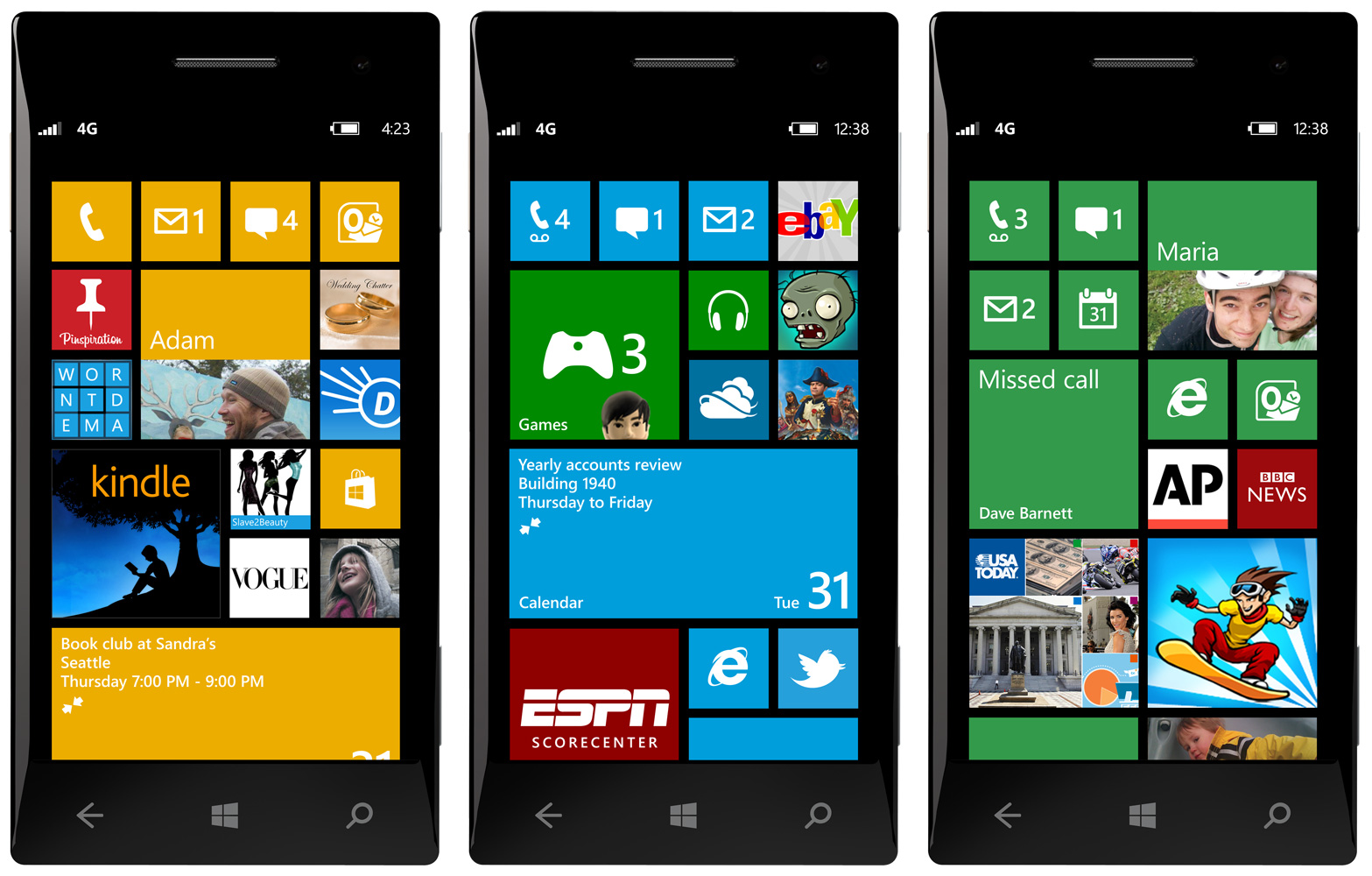
Why Windows 8 Phones are Better than Windows 7 Phones

Windows 8 phones have been available for just over 2 months and they are already being seen as a major improvement over Windows 7 phones.  There are several reasons that they are receiving this acclaim.
The WP8 has better security features and better multitasking capabilities.  It also has storage that can be upgraded and the Windows 8 OS that works across multiple platforms.

One of the first things to be noticed on the new version is that the home screen is more user-friendly and functional.  The live tiles can take up the entire width of the screen.  These tiles also have three options for size to allow you more choices to see your information.
Many of the changes to the Windows Phone 8 from 7 are small and not revolutionary, but they help make it more user-friendly and add to the design.  For instance, a new addition to the People Hub is called Rooms.  This feature acts like a private group where you can share information and photos with just those in that room and not everyone else.  This feature can even be used by people who do not have a Windows Phone, but they will need to get a Windows ID.
Why Windows Phone 8 is Better than Windows 7 Phone
Windows Office Hub
Small tweaks have been done to the Office Hub to improve user experience with the application.  For instance, you can choose full screen for reading in Word.  You also have more viewing options in Power Point and Excel allows charts.  You can also add documents that have been emailed.  All of these files can easily be stored on Sky Drive to make it easier to retrieve and save your documents for later use.
While you may not notice any major differences from Windows Phone 7, that could be because there wasn’t that much wrong with it in the first place.  What Windows Phone 8 does is make a few changes to improve something that was already a good design in the first place.  Microsoft has created a phone that is different than what was available and it is continuing to differentiate.
source  : http://techbeat.com/2013/01/why-windows-8-phones-are-better-than-windows-7-phone/
12:17 AM | 0 comments | Read More